Talk — VML Experience Design — 14 September 2026
Make is a build tool, not a thinking tool.
Most teams using Figma Make are paying construction prices for exploratory work. The fix is a boundary.
The failure mode
Most teams using Figma Make are paying construction prices for exploratory work. The pattern is familiar: describe an intent, react to the output, re-describe, react again. Every iteration re-sends the full conversation, so cost scales with indecision rather than complexity. The output drifts because the intent was never fixed anywhere, and when the build is wrong there is no record of what right was supposed to look like. The symptom is running out of budget before the prototype is correct.
Why it fails structurally
The failure is structural, not behavioural. Exploration and construction have opposite requirements. Exploration wants breadth, reversal and cheap turns. Construction wants a fixed target. Make optimises for construction. Using it to explore is Define work done inside the Design stage, at Design stage rates.
The boundary
The fix is a boundary. Thinking happens in Claude. Building happens in Make. The specification is the interface between them.
The workflow
The workflow has six steps. First, explore in Claude via WPP Open: give context, argue the approach, land the idea. These turns are cheap and carry no build cost. Second, decompose in Claude: split the work into independently buildable pieces, each sized to a single Make session. Third, write a Markdown specification for each piece. Claude drafts it, you edit it. The spec is the deliverable, not the prompt. Fourth, feed one spec into Make and let it build. Make executes; it does not decide. Fifth, tweak in Make, but only visual and interaction adjustments. Structural changes go back to the spec. Sixth, repeat with the next piece.
Anatomy of a good spec
The spec determines whether this works. A good one contains purpose and scope, including what the piece explicitly is not; the data model or content structure; screens and states, enumerated; interactions and transitions; visual direction referencing existing components; acceptance criteria written as testable statements; and an out-of-scope section that stops Make inventing adjacent features. Tight beats comprehensive. Ambiguity in the spec becomes token burn in Make. Acceptance criteria are the quality mechanism, the difference between “looks about right” and verified. The spec is also reusable: rebuild from it, hand it over, fork it.
claudict.ai/talks/spec-first-building-figma-make — Build Specification
Version: 1.0 Status: For build Target build environment: v0 by Vercel Deployment target: Vercel, same project as claudict.ai Presentation date: Monday, 10:00 UK
0. Assumptions
Stated explicitly because they are content dependencies, not build dependencies. The build proceeds with placeholders; the placeholders must be filled before the talk.
authorNot suppliedPlaceholder token [FOUNDER_NAME]noindex per §10.11. Purpose and Context
A single route that serves two audiences at two moments.
Live, Monday 10:00. A 20-minute presentation surface for the Experience Design department at VML. Twelve slides, keyboard-driven, no network dependency, no chrome.
Afterwards, permanently. A readable long-form article at a stable URL — Claudict's first proof-of-practice artefact, and the page that makes the brand's claim inspectable rather than asserted.
These are the same document. Not two documents that share content. One DOM, two CSS renderings, switched by a keyboard key and a URL parameter.
Why this architecture. A deck and an article maintained separately diverge at the second edit. The talk argues that a single durable artefact should sit upstream of everything derived from it. A page that contradicts that argument in its own construction undermines the talk.
Success at launch:
- Deck mode runs the full talk end to end with no network access.
- Document mode reads as a coherent article to someone who was not in the room.
- Every slide is individually linkable.
- The blank spec template downloads from the page.
- Lighthouse: Performance ≥ 95, Accessibility ≥ 95, Best Practices ≥ 95, SEO ≥ 100.
2. Technical Stack and Constraints
Inherits the claudict.ai stack. Deviations noted.
next/font — Fraunces (display), Geist Sans (body), Geist Mono (meta)/#join on the landing page.Performance targets:
- LCP < 1.5s on 4G
- CLS < 0.05
- Total page weight < 400KB excluding fonts, including the full specimen
- No layout shift when switching modes
Browser support: as landing page. Deck mode additionally requires dvh unit support — iOS Safari 16+, current Chrome, Safari, Firefox, Edge.
3. Brand System
Unchanged from the claudict.ai landing page specification. Tokens, typefaces, spacing, grain overlay and hairline discipline are inherited wholesale.
Additions and restrictions specific to this route:
claude token appears twice on this page and nowhere else: the wordmark dot, and the single highlighted acceptance criterion on slide 11. Nothing else.rule, top edge, filling left to right across twelve slides. No dots, no counter chrome, no percentage.4. Content Architecture
4.1 Content Model
All content lives in a single typed module, content/talk.ts. Do not scatter copy through components.
type Treatment = 'prose' | 'list' | 'split' | 'specimen' | 'criteria'

type Slide = {
  id: string              // kebab-case, becomes the URL hash
  number: number          // 1–12
  eyebrow: string         // e.g. "01 — THE FAILURE MODE"
  timing: string          // e.g. "0:00–2:00"
  targetSeconds: number   // used by the presenter clock
  headline: string        // display serif
  treatment: Treatment
  lines?: string[]        // revealed sequentially where the treatment supports it
  closing?: string        // display serif, set apart by a hairline
  note?: string           // speaker note, document mode only
}

type Section = {
  id: string
  heading: string         // document-mode heading
  prose: string[]         // article paragraphs for this section
  slides: Slide[]
}
Document mode renders heading and prose. Deck mode renders slides. Both render from the same module, so the two never drift in source even though they differ in form.
4.2 Document Mode Structure
Single column, vertical scroll, max-w-3xl for prose.
- Masthead. Small Claudict wordmark, hairline, and a line of Geist Mono meta:
Talk — VML Experience Design — [date]. - Title.
Make is a build tool, not a thinking tool.Display serif, H1. - Standfirst. One paragraph,
ink-soft, larger than body: *Most teams using Figma Make are paying construction prices for exploratory work. The fix is a boundary.* - Mode affordance. A single line of micro-text below the standfirst:
Press P for presentation mode.Rendered only when a keyboard is detected (see §7.6). No button. - Article body. The seven sections of §5.1, each
<section>witharia-labelledby. - The specimen. Full-length, inline, in the article body at section 4. See §5.3.
- Template download.
Download the blank spec template (.md)— a text link, hairline above. - Tail. One quiet waitlist line and the independence statement. See §5.5.
4.3 Deck Mode Structure
Twelve slides. Each slide is a 100dvh viewport, content vertically centred, max-w-4xl, px-10.
Persistent furniture, identical on every slide:
- Top edge: progress hairline.
- Bottom left: slide eyebrow in micro-text small-caps.
- Bottom right:
04 / 12and the presenter clock, both Geist Mono,ink-mute.
Nothing else persists. No wordmark, no title bar, no navigation arrows.
5. Content Specification
British English throughout. Voice: direct, considered, dry. The forbidden-language list from the landing page specification applies in full.
5.1 Article Prose (Document Mode)
The supplied article is the canonical prose. It is reproduced across seven sections with headings added for semantic structure and scanability. Do not rewrite it. Headings are new; body text is verbatim.
failure-modeThe failure modeParagraph 1structuralWhy it fails structurallyParagraph 2boundaryThe boundaryParagraph 3workflowThe workflowParagraph 4anatomyAnatomy of a good specParagraph 5 + the specimen (§5.3)context-hygieneContext hygieneParagraph 6mondayWhat changes on MondayParagraphs 7 and 85.2 Slide Content (Deck Mode)
Twelve slides. Copy is locked. Timings are from the talk outline and drive the presenter clock.
Slide 1 — `failure-mode` · 01 — THE FAILURE MODE · 0:00–2:00 · 120s · treatment: prose
Headline: Cost scales with indecision, not complexity.
Lines (revealed sequentially):
- Describe an intent. React to the output. Re-describe. React again.
- Every iteration re-sends the full conversation.
- The output drifts, because the intent was never fixed anywhere.
- Nothing to check the build against.
Closing (hairline above): *Running out of budget before the prototype is right.*
Slide 2 — `structural` · 02 — WHY IT FAILS · 2:00–4:00 · 120s · treatment: prose
Headline: Exploration and construction have opposite requirements.
Lines:
- Exploration wants breadth, reversal and cheap turns.
- Construction wants a fixed target.
- Make optimises for construction.
Closing: *Define work, done inside the Design stage, at Design stage rates.*
Slide 3 — `workflow-steps` · 03 — THE WORKFLOW · 4:00–6:00 · 120s · treatment: list
Headline: Six steps.
Numbered list, revealed one at a time:
- Explore in Claude. WPP Open. Give context, argue the approach, land the idea. Cheap turns, no build cost.
- Decompose in Claude. Split the work into independently buildable pieces, each sized to one Make session.
- Write a Markdown spec per piece. Claude drafts it. You edit it. The spec is the deliverable, not the prompt.
- Feed one spec into Make. Make builds. It does not decide.
- Tweak in Make. Visual and interaction adjustments only. Structural changes go back to the spec.
- Repeat for the next piece.
Slide 4 — `the-boundary` · 03 — THE WORKFLOW · 6:00–8:00 · 120s · treatment: split
Headline: Four of the six steps happen before Make is opened.
Split diagram, described in §6.3:
- Left pane, label
DECIDE: Claude — explore, decompose, specify. Steps 1–3. - Right pane, label
BUILD: Make — build, tweak. Steps 4–5. - The dividing hairline is labelled
the specin Geist Mono, rotated, centred. - A return path from right pane to left, labelled
structural change.
Slide 5 — `required-sections` · 04 — ANATOMY · 8:00–9:30 · 90s · treatment: criteria
Headline: What a spec contains.
Seven items, revealed sequentially, each title in display serif and description in body sans:
- Purpose and scope — what this piece is, and explicitly what it is not.
- Data model or content structure
- Screens and states — enumerated.
- Interactions and transitions
- Visual direction — referencing existing components.
- Acceptance criteria — testable statements.
- Out of scope — stops Make inventing adjacent features.
Slide 6 — `real-spec` · 04 — ANATOMY · 9:30–11:00 · 90s · treatment: specimen
Headline: A real one.
Renders the specimen at full length, scrollable within the slide. See §5.3 and §6.4.
Slide 7 — `spec-rules` · 04 — ANATOMY · 11:00–12:00 · 60s · treatment: prose
Headline: Three rules.
Lines:
- Tight beats comprehensive.
- Ambiguity in the spec becomes token burn in Make.
- Acceptance criteria are the difference between "looks about right" and verified.
Closing: *The spec is reusable. Rebuild from it, hand it over, fork it.*
Slide 8 — `lossy-input` · 05 — CONTEXT HYGIENE · 12:00–13:30 · 90s · treatment: prose
Headline: PDFs, decks and spreadsheets are expensive and lossy as input.
Lines:
- Source material arrives in formats built for humans and printers.
- The model pays for the formatting and gets less of the structure.
Slide 9 — `convert-first` · 05 — CONTEXT HYGIENE · 13:30–15:00 · 90s · treatment: prose
Headline: Convert to Markdown first.
Lines:
- Claude Desktop, or WPP Open Claude.
- Structure survives. Formatting noise does not.
- Lower cost, faster comprehension, fewer invented details.
- Keep converted files alongside the specs. Reuse across pieces rather than re-uploading.
Slide 10 — `worked-spec` · 06 — WORKED EXAMPLE · 15:00–16:30 · 90s · treatment: split
Headline: Fanography.
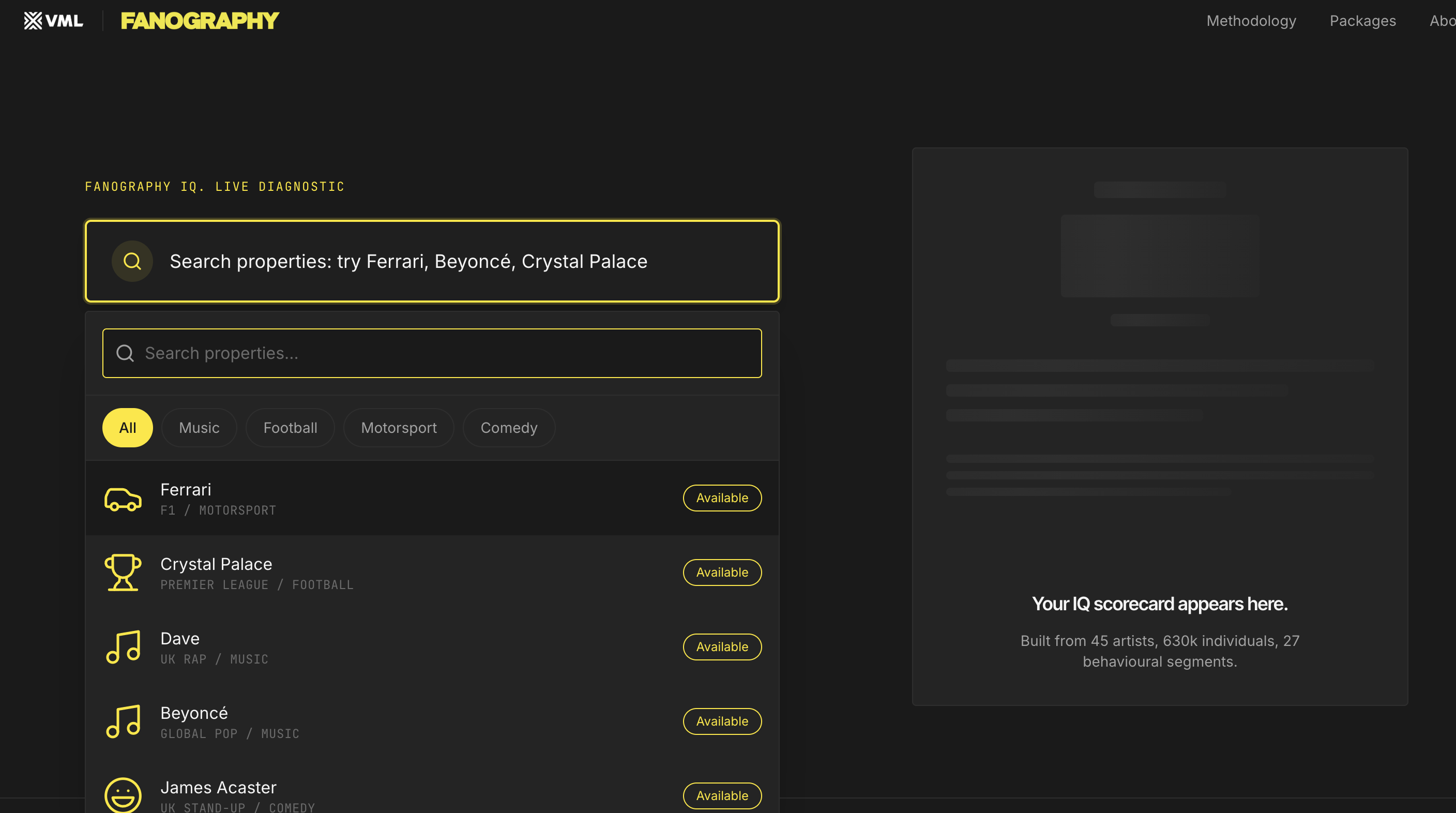
Left pane: the spec, rendered. Right pane: the resulting build, as a static image.
*Content dependency: assets not yet supplied. Build with the fallback of §5.3 and swap.*
Slide 11 — `criterion-to-element` · 06 — WORKED EXAMPLE · 16:30–18:00 · 90s · treatment: split
Headline: One criterion. One element.
Left pane: the specimen with a single acceptance criterion highlighted — this is the page's one permitted use of the claude token beyond the wordmark dot. Highlight is a 2px underline in claude, not a background fill.
Right pane: the build element that satisfies it, with a matching hairline bracket.
Below, in Geist Mono, the honest comparison:
this approach      [TOKENS_SPEC_FIRST]
open prompting     [TOKENS_OPEN_METHOD]
*Content dependency: figures not supplied. If they cannot be produced honestly, delete this block. Do not estimate.*
Slide 12 — `monday` · 07 — WHAT CHANGES · 18:00–20:00 · 120s · treatment: list
Headline: On Monday.
Lines:
- Stop typing feature requests into Make.
- Every Make session opens with a spec file.
- Specs live in the project folder, versioned with the work.
- A structural change means editing the spec and rebuilding, not arguing with the tool.
Closing, display serif, larger, hairline above: *Tools that build fast punish teams that decide slowly.*
5.3 The Specimen
Slide 6 requires a real specification on screen at full length. Abstract templates do not convince.
Primary option: the Fanography spec, if assets arrive.
Recommended option: *this document*. The page being presented was built from this specification. Pointing at an acceptance criterion in §14 and then at the element of the live page that satisfies it is verifiable in the room, in real time, without trusting a screenshot. It also demonstrates the reuse claim directly: the audience is standing inside the artefact.
Build requirement regardless of which is chosen: the specimen is a single Markdown file rendered by the same component in both modes. Swapping the source file must require no component changes.
Specimen rendering:
- Geist Mono,
text-sm,ink-softfor body,inkfor headings. - Hairline left rule marking the document edge.
- Margin annotations in the right gutter at
lgand above: micro-text,ink-mute, connected to their line by a short hairline. Belowlg, annotations collapse inline beneath the line they annotate. - Annotations are authored per specimen in the content module, keyed by line anchor.
5.4 Blank Spec Template
A static .md file served from /public. Contents: the seven required sections of slide 5, each with a one-line instruction and an empty body. No example content — an example becomes a template people copy without thinking.
Link text: Download the blank spec template (.md). Document mode only.
5.5 Tail
Document mode only, after the article. Three lines, hairline above, ink-mute:
Claudict is an independent community for designers using Claude in professional practice.withRequest accesslinking to/?ref=vml-xd#join.Claudict is an independent community. Not affiliated with Anthropic.© 2026 Claudict
No CTA block, no button, no repetition of the waitlist pitch. The article is the argument for the community; restating it weakens both.
6. Component Inventory
<TalkPage />ClientRoot. Owns mode, slide index, reveal index, timer. Everything below is presentational.<ModeProvider />ClientContext: mode, slideIndex, revealIndex, prefersReducedMotion.<KeyboardController />ClientBinds §7.1 key map. Detached from render.<PresenterClock />ClientElapsed time and target for current slide. Deck mode only.<ProgressRule />ClientTop-edge hairline, fills by slide index. Deck mode only.<TalkMasthead />ServerWordmark, hairline, mono meta. Document mode only.<ArticleSection />ServerHeading + prose. Document mode.<Slide />Client100dvh wrapper. Applies treatment. Deck mode.<SlideProse />ClientHeadline + sequential lines + closing.<SlideList />ClientNumbered list with sequential reveal.<SplitDiagram />ClientTwo panes, central labelled hairline, return path. See §6.3.<CriteriaList />ClientTitle + description pairs, sequential reveal.<Specimen />ClientMarkdown specimen with margin annotations and internal scroll. See §6.4.<SpeakerNote />Server<details> element. Document mode only; hidden in deck mode.<TalkTail />Server§5.5.<GrainOverlay />ServerInherited from the landing page. Present in both modes.6.3 Split Diagram
Drawn in hairlines and type. No SVG illustration, no icons, no boxes with fills.
- Two columns, equal width, separated by a full-height 1px
rulehairline. - Column labels
DECIDEandBUILDin micro-text small-caps at the top of each column, above a short hairline. - The central hairline carries the label
the spec, Geist Mono,ink, rotated 90°, set on apaperbackground to knock out the rule behind it. - The return path is a hairline running below both columns, right to left, ending in a 45° tick. Label
structural changein micro-text,ink-mute. - Asymmetric reveal: the controller may advance the left pane while the right pane is empty. On slide 4 the left pane fills across three reveals before anything appears on the right. The empty right pane is the argument; it must not read as a loading state, so it carries its
BUILDlabel and hairline from the first frame.
6.4 Specimen Component
- Internal scroll container,
overscroll-behavior: contain, so scrolling the specimen in deck mode does not advance the slide. - Keyboard:
↑/↓scroll the specimen when it has focus;←/→always change slide. This separation is non-negotiable — losing your place in a live talk because the deck moved when you meant to scroll is the failure this rule prevents. - Scroll position persists when navigating away from and back to the slide.
- In document mode the container is unbounded and prints in full.
7. Interaction
7.1 Keyboard Map
PToggle mode. Entering deck mode opens at the slide corresponding to the nearest section; exiting scrolls document mode to that section.→ Space PageDownNext reveal; if all revealed, next slide← PageUpPrevious reveal; if none revealed, previous slide↓ ↑Scroll within a specimen when focused; otherwise ignored in deck modeHome / EndFirst / last slideEscExit deck mode at the current slideTReset presenter clockFRequest fullscreenAll keys are ignored while focus is inside a text input or a link is being activated. No mouse or touch gestures advance slides in deck mode — a stray trackpad swipe mid-talk is a worse failure than the inconvenience of keyboard-only navigation. A single unobtrusive Next control appears at the bottom edge on touch devices only.
7.2 Mode Switching
- URL:
?mode=deckenters deck mode on load.#slide-idopens at that slide. - Both are written to the URL on change via
replaceState, so the current slide is always copyable and any slide is directly linkable. - The transition between modes is instant. No crossfade, no animated reflow.
- Mode preference is not persisted between visits. Document mode is the default and the canonical state.
7.3 Reveals
- Reveal is opacity only, 200ms,
ease-out. No movement, no scale. - Revealed lines remain visible. Nothing dims, greys back, or recedes.
- Arriving at a slide by hash or by backwards navigation shows all lines revealed. Only forwards navigation from the previous slide starts a slide at zero revealed.
7.4 Presenter Clock
- Starts on first entry to deck mode. Shows elapsed total, Geist Mono,
ink-mute. - Alongside it, the current slide's target window from the content module:
04 / 12 · 6:00–8:00 · 14:22. - When elapsed exceeds the current slide's target end, the figure switches from
ink-mutetoink. No colour, no flashing, no alarm. A weight change is enough information and nothing the room will notice.
7.5 Hover and Focus
- Text links: 1px underline on hover, 2px offset, 150ms.
- Focus indicator: 2px outline in
ink-soft, 2px offset, on every interactive element in both modes.
7.6 Progressive Enhancement
- The
Press P for presentation modeline renders only after a keydown event or a pointer type offineis detected. It must not appear on touch-only devices. - With JavaScript disabled, the page is a complete, readable article. Deck mode is an enhancement, never a dependency.
7.7 Reduced Motion
Under prefers-reduced-motion: reduce: reveals become instant, hover transitions are removed, smooth scroll is disabled. Sequential reveal still functions as a mechanism — content appears, it simply appears without fade.
8. Responsive Behaviour
Single column at all breakpoints in both modes.
text-4xltext-6xl—text-3xltext-5xltext-6xltext-lgtext-xltext-2xltext-basetext-lg—text-xs, tracking-wider, uppercasetext-xstext-xstext-xs monotext-sm monotext-sm mono- Deck mode is available below 1024px but is not the target; the split diagram stacks vertically with the dividing hairline turning horizontal, and its label unrotates.
- Slide content uses
clamp()on the headline so no slide overflows at any viewport. - A slide must never scroll vertically except within a specimen container. If content would exceed
100dvh, the reveal count is wrong and the slide should be split.
9. Accessibility
Target WCAG 2.2 AA.
- Semantics. One
<h1>(the article title). Each section is a<section>witharia-labelledby. Slides in deck mode are<section role="group" aria-roledescription="slide">. - Deck mode and the accessibility tree. Non-current slides receive
inertandaria-hidden="true". The current slide receives focus on change. A visually hiddenaria-live="polite"region announcesSlide 4 of 12: [headline]. - Unrevealed lines are
aria-hiddenandvisibility: hidden, not merelyopacity: 0, so screen readers and keyboard order match what is on screen. - Mode change is announced:
Presentation mode on/Presentation mode off. - No keyboard trap.
Escalways exits deck mode.Tabreaches links inside the current slide and nothing outside it. - Contrast.
inkandink-softonpaperpass at all sizes.ink-muteis restricted to micro-text attext-xs, which does not meet the large-text exemption — verify at 4.5:1 and darken the token on this route if it fails. - The accent is never the sole carrier of meaning. The slide 11 highlight is accompanied by a bracket and by position.
- Reduced motion per §7.7.
10. SEO, GEO and Metadata
10.1 Indexing
The page ships noindex, nofollow behind an environment variable NEXT_PUBLIC_INDEXABLE, default false. The LinkedIn credibility sequence runs before Claudict is publicly discoverable; a talk page indexed early pre-empts that order. Flipping the variable and redeploying is the entire launch action.
The sitemap includes this URL only when the variable is true.
10.2 Metadata
- Title:
Spec-first building in Figma Make — Claudict - Description:
Make is a build tool, not a thinking tool. Thinking happens in Claude. The specification is the interface between them. A talk for working designers. - Canonical:
https://claudict.ai/talks/spec-first-building-figma-make - Language:
en-GB - OG image: 1200×630, generated via the Next.js OG route. The talk title in display serif on
paper, with the masthead hairline. No wordmark lockup, no subtitle, no decoration.
10.3 Structured Data
A single Article JSON-LD block:
{
  "@context": "https://schema.org",
  "@type": "Article",
  "headline": "Make is a build tool, not a thinking tool",
  "description": "Spec-first building in Figma Make.",
  "author": { "@type": "Person", "name": "[FOUNDER_NAME]" },
  "publisher": { "@type": "Organization", "name": "Claudict", "url": "https://claudict.ai" },
  "inLanguage": "en-GB",
  "datePublished": "[ISO_DATE]"
}
10.4 GEO
- The entire article is server-rendered in the initial HTML. Deck mode is a CSS and state layer over content that is already present.
- The standfirst answers "what is this" in plain prose in the first 40 words.
- Headings are real headings and describe their content literally —
Anatomy of a good spec, not a clever alternative. - The specimen is real text in the DOM, never an image of text.
10.5 Route Structure
/talks/spec-first-building-figma-make only. A /talks index is out of scope for this build but the route structure must not preclude one: content lives in content/talks/[slug].ts, and components take a talk object rather than reading a singleton.
11. Resilience
Non-negotiable. The page has a fixed appointment on Monday at 10:00.
- Static export. No server-side rendering at request time, no runtime fetches, no third-party script blocking render.
- Service worker caching the route, fonts, and the build image assets, so a second load works with no network.
- Fonts self-hosted. No Google Fonts request at runtime.
- Analytics is fire-and-forget and never blocks, delays or errors the page.
- PDF fallback. A static PDF export of deck mode lives at
/talks/spec-first-building-figma-make.pdf, generated from the print stylesheet in deck layout. It is the fallback if the machine, the browser or the room fails.
12. Print
A print stylesheet on the same route, document mode.
- Deck furniture, the grain overlay and the mode affordance are suppressed.
- The specimen prints at full length, unclipped, with annotations in the margin.
- URL printed in the footer.
This satisfies the "one real spec, printed" asset requirement from the talk outline without producing a separate document.
13. Analytics
page_viewDefaultdeck_enterMode switched to deckdeck_exitMode switched to documentslide_viewSlide becomes current; property: slide idspecimen_scrollSpecimen scrolled past 50%template_downloadBlank template link clickedwaitlist_clickTail waitlist link clickedslide_view and deck_enter reveal whether anyone re-runs the deck after the talk — the single signal that distinguishes a talk page from a slide dump.
14. Acceptance Criteria
Testable statements. This section is the quality mechanism, and the section the talk points at on screen.
Mode behaviour
- Pressing
Pin document mode switches to deck mode in under 100ms with no visible reflow of the page background or grain overlay. - Entering deck mode from a scroll position within section 4 opens on slide 5, not slide 1.
- Pressing
Escon slide 9 returns to document mode scrolled to thecontext-hygienesection. - Loading
?mode=deck#spec-rulesopens directly on slide 7 with all lines revealed. - With JavaScript disabled, the full article text — including the specimen — is present and readable, and no deck affordance is shown.
Navigation
- On slide 1, pressing
→four times reveals four lines; the fifth press advances to slide 2. - On slide 2, pressing
←with no lines revealed returns to slide 1 with all lines revealed. - Scrolling inside the specimen on slide 6 does not change the slide.
- A trackpad swipe in deck mode on a desktop browser does not change the slide.
Homefrom any slide returns to slide 1.
Presentation
- No slide scrolls vertically at 1440×900, except inside the specimen container.
- The progress hairline is exactly twelve-twelfths filled on slide 12 and one-twelfth on slide 1.
- The presenter clock switches from
ink-mutetoinkwhen elapsed time passes the current slide's target end, with no other change. - The
BUILDlabel and its hairline are present on slide 4 before any right-pane content is revealed. - The
claudeaccent appears exactly twice in the whole page: the wordmark dot and the slide 11 criterion underline.
Accessibility
- Tab from the current slide reaches only interactive elements within that slide.
- A screen reader announces
Slide 4 of 12and the headline on each slide change. - Unrevealed lines are absent from the accessibility tree, not merely transparent.
- Under
prefers-reduced-motion: reduce, no opacity transition occurs on any reveal, and all reveals still function. - Every colour pairing used for text meets 4.5:1 against
paper.
Resilience and performance
- The page loads and deck mode runs fully with the network disabled after one prior visit.
- Lighthouse mobile: Performance ≥ 95, Accessibility ≥ 95, Best Practices ≥ 95, SEO = 100.
- LCP < 1.5s on simulated 4G; CLS < 0.05, including across a mode switch.
- The route returns
noindexwhileNEXT_PUBLIC_INDEXABLEisfalse. - Printing document mode produces the full article and the full specimen with no clipped content.
15. Out of Scope
- A
/talksindex page. - Comments, reactions, or any on-page discussion.
- Video or audio recording of the talk.
- A second talk.
- Any waitlist form on this route. The link goes to the landing page.
- Dark mode.
- Slide transitions, parallax, scroll-triggered animation.
- Presenter view on a second screen. The in-slide clock and eyebrow replace it.
- Speaker notes in deck mode.
- Editing the article prose. The supplied text is canonical.
16. Appendix
16.1 File Structure
app/
  talks/
    [slug]/
      page.tsx              // server: metadata, JSON-LD, renders <TalkPage />
      opengraph-image.tsx
content/
  talks/
    spec-first-building-figma-make.ts
  specimens/
    claudict-talk-page-spec.md        // or fanography.md
components/
  talk/
    TalkPage.tsx            // client root
    KeyboardController.tsx
    PresenterClock.tsx
    ProgressRule.tsx
    Slide.tsx
    SlideProse.tsx
    SlideList.tsx
    SplitDiagram.tsx
    CriteriaList.tsx
    Specimen.tsx
public/
  claudict-spec-template.md
  talks/spec-first-building-figma-make.pdf
16.2 Timing Table
Total 20:00. Q&A 10:00. Slides 5, 6 and 10 are the ones that will overrun; slides 7, 8 and 9 are the ones to compress in the room.
16.3 Tailwind Extract
Inherits the landing page config. Additions:
export default {
  theme: {
    extend: {
      height: { slide: '100dvh' },
      transitionDuration: { reveal: '200ms' },
      maxWidth: { slide: '56rem', prose: '65ch' },
    },
  },
}
16.4 v0 Build Order
Build in this order. Each step is independently verifiable, which is the same discipline the talk describes.
- Content module and types. No UI.
- Document mode, static, no interactivity. Verify criteria 5 and 25.
- Deck mode layout and mode switch. Verify criteria 1–5.
- Keyboard controller and reveal logic. Verify criteria 6–10.
- Treatments: split diagram, criteria list, specimen. Verify criteria 8, 11, 14.
- Furniture: progress rule, presenter clock. Verify criteria 12–13.
- Accessibility pass. Verify criteria 16–20.
- Metadata, JSON-LD, OG image, print, service worker. Verify criteria 21–25.
End of specification.
Context hygiene
Context hygiene compounds the gain. Source material arrives as PDFs, decks and spreadsheets, all expensive and lossy as LLM input. Convert everything to Markdown first using Claude Desktop or WPP Open Claude. Structure survives, formatting noise does not, and comprehension improves while cost falls. Keep converted context files alongside the specs and reuse them across pieces rather than re-uploading.
What changes on Monday
The change in practice is small and immediate. Stop typing feature requests into Make. Every Make session opens with a spec file. Specs live in the project folder, versioned with the work. A structural change means editing the spec and rebuilding, not arguing with the tool.
The token saving is real but secondary. The primary gain is quality: a fixed, inspectable statement of intent that the build can be checked against. Decide first, then build. Tools that build fast punish teams that decide slowly.